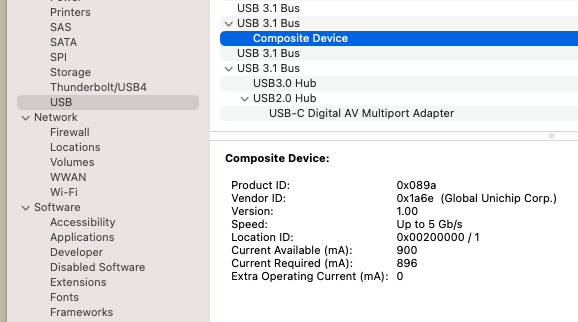
A quick check that the USB device shows up, can be done in System Information app:
Next is terminal, so let's verify if lsusb is available in brew? Yes! Then let's install it!
... a few days ago, I was following up the Google Coral github page, when I noticed a new repo: webcoral ...
"This is a project to demonstrate how to use the Coral USB Accelerator from the Chrome browser with WebUSB."
Cool, I was looking for this option since the accelerators became available.
I remembered that back in 2019, an issue was opened at TFJS: Coral edge tpu bindings for tf.js.
So I went back to check the issue's status; it's closed, but I left a comment 'Please see latest WebCoral demo', and I noticed an answer today:
'To follow up, we are working with Google Coral team to provide coral-usb support on the web, stay tuned.'
Promising!
In that case, what else to do on a Saturday night, but to check out WebCoral?!
Quickly reading thourgh the README.md, I noticed that the device must be flashed from Chrome or terminal.
Chrome flashing won't work on MacOS, so it has to be done through the terminal.
A quick check that the USB device shows up, can be done in System Information app:
Next is terminal, so let's verify if lsusb
is available in brew? Yes! Then let's install it!
# brew info lsusb
lsusb: stable 1.0 (bottled)
List USB devices, just like the Linux lsusb command
https://github.com/jlhonora/lsusb
/usr/local/Cellar/lsusb/1.0 (4 files, 12.8KB) *
    Poured from bottle on 2021-05-15 at 11:21:09
From: https://github.com/Homebrew/homebrew-core/blob/HEAD/Formula/lsusb.rb
License: MIT
==> Analytics
install: 1,556 (30 days), 4,775 (90 days), 21,189 (365 days)
install-on-request: 1,554 (30 days), 4,772 (90 days), 21,180 (365 days)
build-error: 0 (30 days)
# brew install lsusb
Using lsusb the device appears as 'Global Unichip Corp. Composite Device'
# lsusb
...
Bus 000 Device 001: ID 1a6e:089a Global Unichip Corp. Composite Device
...
# git clone --recurse-submodules https://github.com/google-coral/webcoral
# cd webcoral
# make download
# make reset
third_party/dfu-util/src/dfu-util \
    -D third_party/libedgetpu/driver/usb/apex_latest_single_ep.bin \
    -d 1a6e:089a -R || true
dfu-util 0.10-dev

Copyright 2005-2009 Weston Schmidt, Harald Welte and OpenMoko Inc.
Copyright 2010-2021 Tormod Volden and Stefan Schmidt
This program is Free Software and has ABSOLUTELY NO WARRANTY
Please report bugs to http://sourceforge.net/p/dfu-util/tickets/

dfu-util: Warning: Invalid DFU suffix signature
dfu-util: A valid DFU suffix will be required in a future dfu-util release
Opening DFU capable USB device...
Device ID 1a6e:089a
Device DFU version 0101
Claiming USB DFU Interface...
Setting Alternate Interface #0 ...
Determining device status...
DFU state(2) = dfuIDLE, status(0) = No error condition is present
DFU mode device DFU version 0101
Device returned transfer size 256
Copying data from PC to DFU device
Download	[=========================] 100%        10783 bytes
Download done.
DFU state(2) = dfuIDLE, status(0) = No error condition is present
Done!
Resetting USB to switch back to Run-Time mode
... and now lsusb shows Google Inc. Composite Device
# lsusb
...
Bus 001 Device 002: ID 18d1:9302 Google Inc. Composite Device
...
Next step is to complete 'Build WASM files inside a Docker container'.
# DOCKER_SHELL_COMMAND="make COMPILATION_MODE=opt wasm" make docker-shellWhich was a painfull one, and failed several times with
Server terminated abruptly (error code: 14, error message: 'Socket closed', log file: '/output/base/server/jvm.out')... but increasing Docker memory from 16GB to 25GB, after the 4th compilation error, did the trick. Anciously typed:
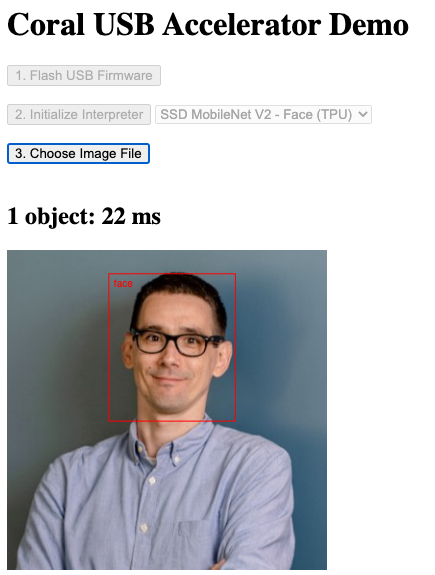
# make reset; make serverFired up a browser on localhost, to detect my face in my LinkedIn profile picture
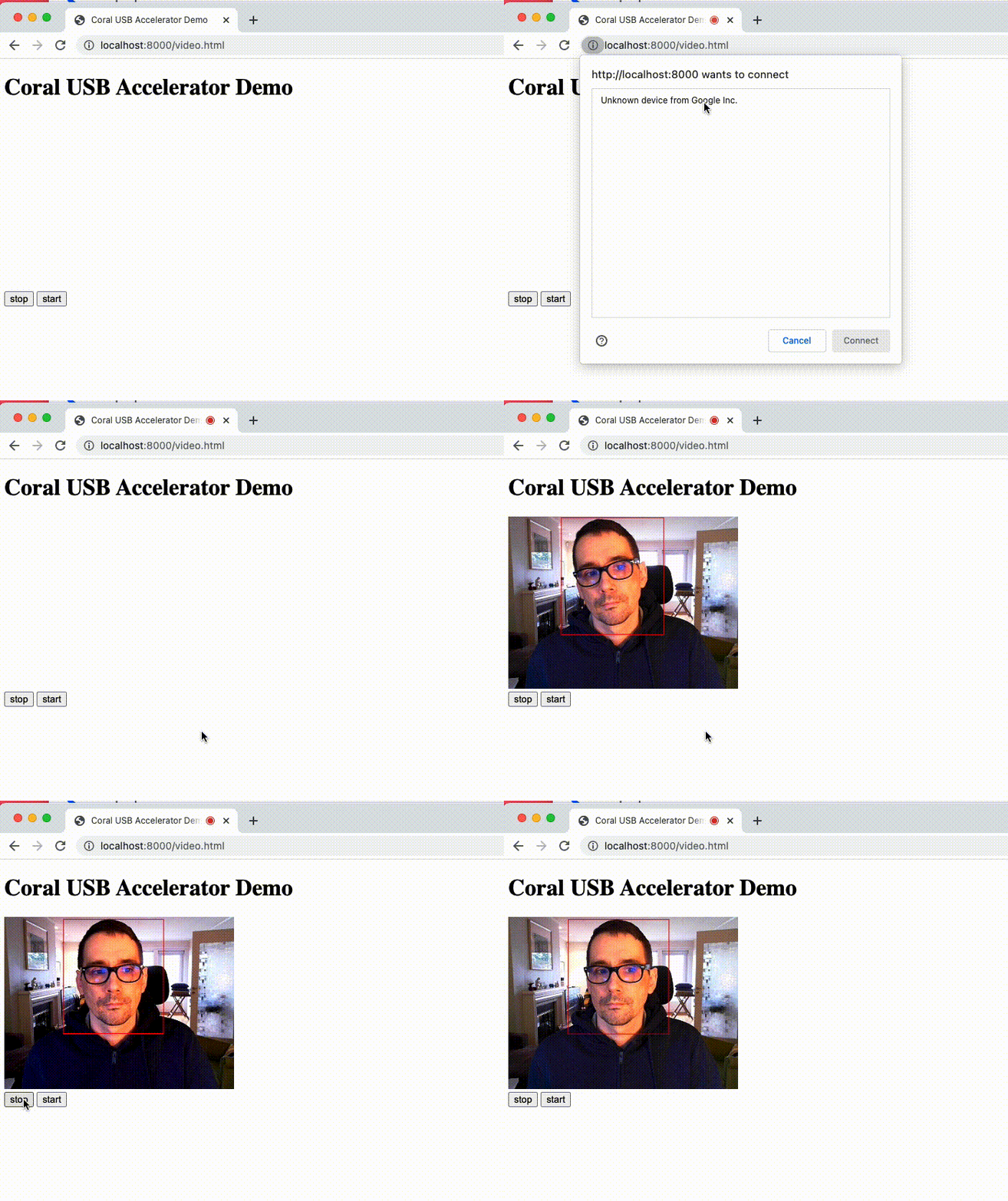
WebUSB support in Chrome (+Firefox) makes it possible to use the Coral USB device to accelerate Tensorflow in Javascript; and for now
this is just a 'demo' from the Coral team, but this featerue is arriving to TensorflowJS soon.
PS: bonus, that I also learned something new: requestVideoFrameCallback.